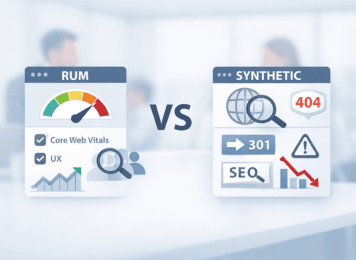
After a release, everything may still look “green”: uptime dashboards show 100%, pages return 200 OK, and no incident alerts fire. Yet organic traffic, crawl efficiency, rankings, or conversions can start slipping because SEO regressions often appear as silent failures rather than obvious outages. The core mistake is treating availability as proof of correctness, when a page can be technically up but still serve the wrong redirect, lose a key rendered block, or degrade in ways that hurt search visibility and user journeys. To catch these issues early, teams need two complementary lenses: synthetic monitoring to detect technical regressions once changes go live, and real user monitoring (RUM) to confirm how strongly real visitors felt the impact.
Real User Monitoring vs Synthetic Monitoring for SEO Regressions
Iliya Timohin
2026-03-10
Uptime monitoring blind spots in SEO regressions
Uptime monitoring shows whether a site is reachable, not whether it is SEO-safe or conversion-safe after a release. A page can stay technically available while still breaking in ways that damage search visibility, crawl paths, or user journeys.
A common post-release scenario looks deceptively harmless: the homepage, pricing page, or a top landing page still returns 200 OK, and your uptime monitoring dashboard stays green. Yet a redirect may now resolve to the wrong destination, a key block may disappear from rendered HTML, or users in one region may get a degraded version that search teams do not notice until rankings soften, crawl behavior changes, or conversions start slipping.
Typical silent failures include:
- A redirect pointing to the wrong URL or forming a loop
- A key content block missing from rendered HTML
- An accidental noindex directive appearing on an important page
- Performance degrading only in a specific region or CDN node
- Core Web Vitals worsening after a JavaScript change
These issues can hurt rankings, reduce crawl efficiency, misroute organic landings, and erode conversions even while uptime remains perfect.
Traditional availability checks confirm that servers respond, but they rarely verify page correctness or user experience. That is why uptime should be treated as the baseline layer, not the full monitoring strategy.
To catch silent regressions earlier, teams usually need both lenses: synthetic monitoring for early correctness checks, and RUM for confirming actual user impact in the field.
Synthetic monitoring for SEO regressions
Synthetic monitoring is the fastest way to verify page correctness once a release goes live. These controlled checks simulate requests or user journeys and confirm that business-critical pages still return the expected technical and rendered state before issues turn into ranking loss, crawl inefficiency, misrouted organic landings, or lost conversions.
In practice, teams usually rely on scripted synthetic monitoring tests. For SEO and growth teams, this layer is most useful when it validates the signals that matter most for crawlability, indexability, rendered content, and critical user paths. This is also where a synthetic layer like MySiteBoost fits naturally: it helps teams verify SEO-critical correctness before silent regressions spread across key landing pages, crawl entry points, and core revenue flows.
Synthetic monitoring checks redirects and status codes
Some of the most valuable synthetic checks for SEO focus on the signals that can quietly break rankings, crawl paths, and conversion journeys once changes go live.
1. Status codes and redirect chains
Synthetic tests can confirm that pages return the expected status codes, that redirects resolve to the correct final URL, and that redirect loops or long redirect chains do not appear after rollout.
A single misconfigured redirect can do more than create a crawling problem. It can also send organic visitors to the wrong landing experience, break campaign entry paths, and weaken page relevance for search.
2. Headers and technical directives
Synthetic checks can also confirm that important rules remain intact, including robots or noindex directives, cache headers, and canonical link tags.
These signals shape how pages are crawled, indexed, and cached after rollout. A page may still be live, but one accidental directive can change how search engines treat it almost immediately.
3. Rendered HTML content assertions
Synthetic monitoring can also verify whether critical elements are still present in the rendered page output, such as H1 headings, product information, CTA blocks or signup forms, and key phrases important for SEO.
This kind of validation works best when teams check stable critical elements rather than trying to match every line of page copy. In practice, this is often handled through keyword monitoring, which helps confirm that important rendered content is still present once changes go live.
This approach is especially useful for catching post-deploy regressions that appear only after JavaScript rendering, localization changes, or template updates. Teams often rely on rendered HTML checks to detect these issues before they turn into broader SEO or conversion losses.
Synthetic checks are also valuable for critical user paths such as signup or checkout. A site can look technically healthy while a broken step still blocks revenue, leads, or trial starts.
Reduce synthetic monitoring false positives
Synthetic monitoring must balance sensitivity with reliability. If alerts fire too often for non-critical issues, teams stop trusting them, and that creates noise exactly where fast response matters most.
Common false alerts usually come from unstable DNS resolution, aggressive timeouts or packet loss, and temporary problems in a single region.
To reduce noise without missing real issues, teams usually combine multi-region verification, short retries, and maintenance suppression during planned releases or maintenance windows. In practice, that means confirming failures from multiple locations before raising an incident, ideally with a 2-out-of-3 or another majority-based rule, repeating the check after a short delay, and muting alerts when teams already know controlled changes are in progress.
These practices help teams separate real regressions from temporary network noise. When checks expand across more regions, critical paths, and page types, teams usually need scale monitoring practices to reduce alert noise without losing sensitivity.
The goal is not to generate more alerts. It is to generate alerts teams trust, investigate quickly, and act on with confidence.
Real user monitoring for Core Web Vitals and SEO
RUM shows how real visitors experience your site in the field. It works best as the impact layer, while synthetic checks catch correctness issues before they spread across real sessions.
RUM collects performance and interaction data from actual user sessions across different devices, networks, and regions. This makes it especially useful for understanding where technical changes are creating visible friction for users and where those issues are likely starting to affect engagement, conversions, or search performance.
RUM data for Core Web Vitals and UX signals
RUM data is especially useful for understanding performance and UX trends across real user segments: Core Web Vitals changes, differences by country, browser, or device, slow interactions that frustrate users, and conversion drops during specific steps of a user flow.
Because RUM reflects real traffic rather than controlled checks, it gives teams the context they need to prioritize fixes by actual user impact. It shows which segments are getting worse, how broad the issue is, and whether the problem is affecting business-critical journeys rather than isolated test conditions.
Modern observability systems often correlate RUM signals with backend and infrastructure metrics using the OpenTelemetry standard. This helps teams connect user-facing symptoms with technical signals across multiple tools without locking themselves into a single vendor ecosystem. In that model, RUM works best as the impact lens, while a synthetic layer like MySiteBoost helps catch correctness issues before they turn into widespread user pain.
RUM limitations and sampling bias
Despite its value, RUM has several limitations that teams must understand.
Sampling and delay
RUM depends on real traffic. On low-traffic pages, especially long-tail SEO landing pages, it may take hours or days before meaningful signals appear, which can delay detection after a release.
Attribution noise
Performance and UX signals can also be influenced by third-party scripts, consent banners, ad blockers, and seasonal traffic patterns, which makes root cause analysis more complex.
Impact vs cause
RUM shows what users experienced, but it does not always reveal exactly what broke. That’s why teams often use synthetic monitoring to confirm the technical cause.
In simple terms, RUM shows what users felt, while synthetic monitoring shows what broke.
RUM vs synthetic monitoring decision matrix
A decision matrix helps teams match the right monitoring method to the right SEO or business risk. That matters because the wrong signal often means delayed detection once a release is live, when ranking loss, crawl disruption, or conversion damage is already spreading. Synthetic is strongest for early correctness verification, while RUM is strongest for confirming user impact at scale. For business-critical pages and release-sensitive flows, using both is often the safer choice.
| SEO / business risk | How it looks | Best signal | What to alert on | False-positive trap and how to avoid it |
|---|---|---|---|---|
| Wrong redirect or redirect loop | Organic entries land on the wrong page or get stuck in a loop | Synthetic | Redirect chain changed, final destination changed unexpectedly, or redirect path exceeds 3 hops | CDN or geo variance → verify from 2–3 locations using a majority rule |
| Accidental noindex or robots block | Page stays live but drops from crawl or index visibility | Synthetic | Header or rendered HTML contains noindex, or crawler-visible rules block access to a key URL | A/B logic, staging rules, or user state differences → test as an anonymous user without cookies |
| Missing key rendered content | Page returns 200 OK, but H1, CTA, pricing block, or control phrase is missing | Both | Synthetic: control phrase or critical block missing from rendered HTML; RUM: a visible decline in engagement or conversions on the same page type | Personalization or localization noise → assert stable critical elements, not the full page copy |
| CWV regressions on mobile | Rankings, CTR, or engagement weaken in the mobile segment after a release | RUM | p75 LCP or INP worsens for a mobile or country segment compared with a comparable baseline period | Traffic mix changes → compare the same segments and similar time windows |
| Issue only in one region | Users in one country report breakage while global uptime still looks healthy | Both | Synthetic: repeated failures in one region confirmed by majority rule; RUM: error or slowdown spike in that same geography | One bad monitoring node → use retries, quorum checks, and a secondary verification step |
| Checkout or signup slowdown | Trial starts, lead submissions, or purchases drop on a critical step | Both | Synthetic: critical path exceeds an agreed threshold or fails a step; RUM: conversion decline or abandonment spike on that flow | Payment provider or third-party instability → separate severity and correlate with conversion regression |
| Broken analytics, consent, or key scripts | Reporting gaps appear, events disappear, or UX suddenly worsens | RUM | Sharp drop in tracked events or conversions, or a spike in JS errors after a release | Ad blockers or browser-specific behavior → segment by browser, device, and before/after release windows |
| 5xx for bots or crawl interruptions | Crawl rate drops, important pages disappear, or search visibility weakens without a full outage | Synthetic | 5xx, timeout, or unstable crawler-facing responses on key URLs when tested with a bot user-agent | Rate limits or anti-bot rules → use separate bot-check rules, controlled frequency, and throttling |
How to use this matrix
In practice, teams usually benefit from pairing each row with one clear incident rule and one supporting reporting signal. Synthetic monitoring works best as the early verification layer, while RUM is more useful for impact validation. For pricing, signup, checkout, and other business-critical pages, Both is often the safer choice because synthetic catches regressions early and RUM confirms whether the issue is creating real business impact.
Minimal monitoring setup for SaaS and eCommerce
A minimal monitoring setup should cover the few signals most likely to catch SEO and revenue risk early. Most teams do not need hundreds of checks; a small, well-chosen starting signal set is usually enough to reduce delayed detection after release.
Monitor critical paths for SaaS and eCommerce
A practical starting setup often includes 10–30 monitored URLs and 2–3 critical user paths. In most cases, those monitored URLs center on pages that matter most for growth, search visibility, crawl entry, and conversion quality, such as the homepage or main landing pages, top SEO entry pages, important category or product pages, pricing pages, and documentation or signup entry pages.
The goal is not broad coverage for its own sake, but a compact set of pages that helps teams catch ranking, crawl, and conversion risk early on the URLs where business impact appears first.
The critical user paths usually include flows such as signup or demo request, login, and checkout. In that kind of starting setup, synthetic monitoring covers correctness and early warning, while RUM adds impact and prioritization.
After releases, many teams use the same logic as lightweight release guardrails: they first review a small set of business-critical pages and critical paths, then expand only if those signals stay stable. This reduces the chance of discovering SEO or conversion regressions only after search engines or users have already felt them.
Alert noise reduction for monitoring teams
A minimal monitoring setup is far more useful when alerts are actionable. In practice, that usually means each alert has a clear owner, a severity level, and an obvious first action so teams can respond without losing time to triage confusion.
A workable alert discipline usually includes clear severity levels such as warning versus incident, multi-region confirmation before incident alerts, a short runbook for the first checks, and defined routing so the alert reaches the team that can actually act on it.
In practice, useful alerts tend to answer four questions: who owns the issue, how urgent it is, what to check first, and what business or SEO risk it threatens if the signal is real.
Reducing alert noise shortens MTTR, lowers alert fatigue, and makes it easier for teams to focus on regressions that can damage rankings, crawl stability, conversions, or revenue.
Monitoring mistakes that hurt SEO and conversions
The biggest monitoring mistakes come from checking availability without validating correctness, ownership, and alert quality. Tools are rarely the real problem. The bigger issue is using the wrong signals, routing alerts poorly, or trying to monitor too much without clear priorities.
Common mistakes include:
- Monitoring only uptime - Fix: add correctness checks for redirects, directives, and rendered content.
- Triggering alerts from RUM dashboards - Fix: use RUM mainly for trends, segmentation, and investigation rather than immediate incident alerting.
- Monitoring too many pages - Fix: narrow the scope to key entry pages, revenue-critical URLs, and priority user flows.
- Skipping multi-region verification - Fix: confirm likely incidents from multiple locations before escalating.
- Leaving alerts without a clear owner - Fix: route each alert to the team responsible for the affected system or journey.
- Working without an incident workflow - Fix: follow a clear incident response lifecycle for triage, mitigation, and review.
Quick monitoring checklist
- Monitor availability and correctness
- Validate redirects, directives, and key rendered elements
- Track Core Web Vitals with RUM
- Confirm incidents across regions
- Assign a clear owner to each alert
FAQ
What’s the difference between RUM and synthetic monitoring?
Synthetic monitoring runs scripted checks to confirm that a page is up and technically correct. RUM measures what real users experienced across devices, networks, and regions. Synthetic monitoring detects issues early, while RUM shows how many users were affected and how engagement changed.
Do I need both for SEO and revenue protection?
Usually yes, especially for business-critical pages and release-sensitive flows such as pricing, signup, and checkout. The decision matrix helps match the signal to the risk: some issues are best caught with synthetic checks, some are best validated with RUM, and some require both. A good starting point is a small signal set on business-critical pages, then gradual expansion only where page risk and traffic level justify more coverage.
Can RUM replace uptime monitoring?
No. RUM depends on real traffic and sampled data, which means some problems may appear late or remain invisible on low-traffic pages. Uptime and synthetic monitoring should remain the baseline, while RUM validates actual user impact.
What should we alert on vs just report?
Alert on high-confidence issues such as confirmed multi-region failures, redirect chain changes, accidental noindex directives, missing key HTML blocks, or major slowdowns in critical user flows. For each risk type, teams usually benefit from having one incident rule and one supporting reporting signal, using the decision matrix to match the signal to the risk. There is no universal mix for every site: it is usually more effective to start with a small signal set on business-critical pages, then adjust it based on page risk, traffic level, and how quickly a problem needs to be detected.
Uptime monitoring blind spots in SEO regressions
Synthetic monitoring for SEO regressions
Real user monitoring for Core Web Vitals and SEO
RUM vs synthetic monitoring decision matrix
Minimal monitoring setup for SaaS and eCommerce
Monitoring mistakes that hurt SEO and conversions
FAQ