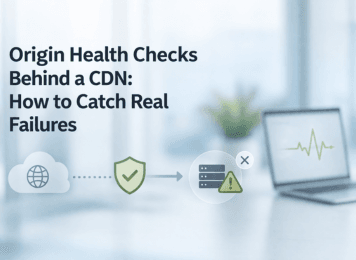
A CDN can make a site look healthy long after the origin has started to fail. That is the comfort trap behind edge-only monitoring. A cached page still opens, the homepage still returns 200, and the dashboard still looks green, while login, checkout, search, or API requests are already breaking at the backend. Once monitoring stops at the edge, teams stop measuring service health and start measuring whether the CDN can still serve something.
Origin Health Checks Behind a CDN: How to Catch Real Failures
IT
Iliya Timohin
2026-03-27
Why a Green Edge Check Can Still Hide a Broken Site
A green edge check proves only that the CDN answered. It does not prove that the origin is available, that an uncached path still works, or that users can complete the actions that matter. That gap is exactly where “healthy” dashboards and broken user journeys start to diverge.
Cacheable pages vs non-cached paths
A CDN can keep serving cached assets and pages while the origin is already unstable. That is why a static page and a live application path should never be treated as equivalent monitoring targets. A marketing page may still render cleanly while authentication, dashboards, search, cart, checkout, or API requests are already failing behind it. This is where edge-only monitoring becomes misleading. If the check hits a cacheable URL, the result stays green even though the uncached parts of the site are already degraded. For SaaS, that usually means sign-in, user actions, dashboards, or API routes. For eCommerce, it usually means search, cart, checkout, pricing, or inventory-dependent pages. The public face of the site remains visible while the useful part quietly breaks.
Why 200/403 responses can still mean broken flows
A status code can be technically correct and still be operationally false comfort. A 200 may come from stale cached content while the origin is timing out. A 403 may look like a deliberate block, even though the real problem is a misfired WAF rule, a changed route, or a request path that no longer reaches the expected backend.
That is why response status alone is too thin to trust. A serious monitoring setup asks a second question after “Did the edge answer?”: “Did the path behave as expected?” Cloudflare’s explanation of response body validation makes the same distinction by separating endpoint reachability from expected endpoint behavior. If you do not verify both, a green signal can still hide a broken flow.
Common "CDN Up, Origin Down" Failure Modes
Once a site sits behind a CDN, failure modes become less obvious from the outside. The edge can keep responding while origin-backed paths degrade one by one, which is exactly why broad uptime checks miss the incidents that hurt first.
API, auth, and checkout failures behind a healthy edge
The most damaging failures usually happen in dynamic paths that cannot be safely cached. A user loads the UI, clicks sign in, and the authentication request fails at origin. A category page opens, but search or filtering depends on an API that is already timing out. A cart page renders, but checkout fails because the backend cannot process the request.
These are not edge-visibility failures. They are path-health failures. The examples above are typical hypothetical scenarios used to illustrate how dynamic paths can fail behind a healthy-looking edge signal. The site still appears reachable, but the business-critical journey is already broken. When monitoring is tied to one cacheable URL, the dashboard keeps smiling while the important actions stop working.
WAF and CDN-rule changes that break user flows
Not every incident begins with an origin crash. A WAF rule, cache rule, redirect rule, hostname change, or routing update can break a critical path before the request reaches the application at all. That makes diagnosis slower because server-side logs may show little or nothing while users are already blocked.
Cloudflare’s CDN outage lessons illustrate the point well. In February 2026, routing changes led to service disruption and externally visible failure symptoms, even though the issue was not a straightforward origin crash. The monitoring takeaway is practical: once CDN and routing layers become part of delivery, checks should distinguish edge-facing availability from backend and infrastructure-side failure.
The scenarios below are illustrative rather than incident-specific. They show common ways a healthy edge signal can hide a failing origin-backed path.
| Failure mode | What the edge check shows | What users actually experience | What to monitor instead |
|---|---|---|---|
| Cached page returns 200 while the origin API is failing | A green homepage or cached URL | The interface loads, but actions fail | Origin health checks on uncached paths and core API endpoints |
| Login page loads, but authentication fails at origin | The edge still responds | Users cannot sign in | Auth canary checks, origin error alerts, and expected response markers |
| Checkout or search fails intermittently | Basic uptime stays green | Critical actions work inconsistently | Multi-region checks on business-critical flows |
| WAF or routing changes block a request path | The edge returns a response | Search, filters, or form submissions stop working | Pre-change tests plus post-change watchpoints for 403 and 5xx spikes |
| Stale cache hides a backend issue | 200 from cached content | Users see old content while live operations fail | Direct-origin checks and response-body validation |
What to Monitor Beyond Edge Availability
To reduce blind spots, monitoring has to move beyond “is the site reachable?” and toward “is the right path healthy at the right layer?” That is the same logic behind broader SEO monitoring signals discussed in the MySiteBoost blog: availability alone is too small a signal when the edge can stay green while the origin, route, or response path is already broken.
Origin health checks and origin error alerts
Origin-aware monitoring should verify more than one cacheable page. It should target the origin itself or an uncached path, define expected response codes, use reasonable intervals, and avoid treating every isolated timeout as a real incident. Cloudflare’s origin health checks documentation is useful here because it focuses on the practical controls that matter: path selection, check regions, retries, response codes, and failure analytics.
Alert logic needs the same discipline. Cloudflare’s origin error alerts model is helpful because it shows why short spikes alone should not drive alerting and why sensitivity has to reflect traffic volume. On low-traffic properties, an overly sensitive error-rate alert can turn one failure into noise. On high-traffic services, the same alert becomes more reliable as a confirmation signal. In other words, “more alerts” is not the goal. Better evidence is.
Content validation for HTML, JSON, and key DOM markers
A healthy origin still is not enough if the response is incomplete, stale, or wrong. That is why direct checks should validate something meaningful in the payload: a required string in HTML, an expected key in JSON, a key DOM marker, or another lightweight signal that confirms the path still behaves correctly.
This matters most when the response technically exists but the useful result is gone. Cloudflare’s setup guidance for response body checks even supports response-body matching as part of health-check logic, which is a practical reminder that “200 OK” and “correct response” are not synonyms. For a deeper content-focused version of this layer, the companion article on HTML keyword monitoring explains how to watch for critical rendered signals after releases.
| Failure mode | What the edge check shows | What users actually experience | What to monitor instead |
|---|---|---|---|
| Cached page returns 200 while the origin API is failing | A green homepage or cached URL | The interface loads, but actions fail | Origin health checks on uncached paths and core API endpoints |
| Login page loads, but authentication fails at origin | The edge still responds | Users cannot sign in | Auth canary checks, origin error alerts, and expected response markers |
| Checkout or search fails intermittently | Basic uptime stays green | Critical actions work inconsistently | Multi-region checks on business-critical flows |
| WAF or routing changes block a request path | The edge returns a response | Search, filters, or form submissions stop working | Pre-change tests plus post-change watchpoints for 403 and 5xx spikes |
| Stale cache hides a backend issue | 200 from cached content | Users see old content while live operations fail | Direct-origin checks and response-body validation |
How Multi-Region and Direct-Origin Checks Reduce Blind Spots
A stronger monitoring setup does not trust one viewpoint. It compares signals across regions and, where useful, verifies the backend without relying on the CDN to tell the whole story.
Multi-location confirmation without extra noise
A single failed region can reflect a local edge problem, a regional network issue, or a transient route anomaly. Repeated failures across multiple regions are much stronger evidence that the origin or a core request path is in trouble. That makes multi-location confirmation useful not only for detection, but also for triage.
The catch is practical: shorter intervals and more check regions can increase load on the origin and create more noise if the rules are careless. That is why regions, frequency, retries, and alert thresholds have to be tuned together. Otherwise, teams build a wider monitoring grid and somehow end up trusting it less.
TCP and direct-origin checks for backend reachability
Some problems live below the application layer. The issue may be a timeout, handshake failure, blocked port, routing break, or an origin that simply stops answering on the expected path. A direct-origin or TCP-level check helps isolate whether the backend is reachable at all, even when the CDN still returns a usable edge response.
This is not a replacement for application-aware checks. It is a separate layer in the stack. Transport-level reachability tells you whether the backend can be reached. Response validation tells you whether it is behaving correctly. You need both when the CDN can keep the public face of the site looking healthier than the backend really is.
How to Monitor CDN Changes Without Waiting for Customer Reports
Many CDN-related failures appear immediately after a change: a new cache rule, WAF update, hostname adjustment, routing change, origin pool edit, redirect update, or DNS change. The safest approach is to treat those changes as monitored releases, not as harmless infrastructure housekeeping.
Pre-change checks before WAF or cache-rule updates
Before a WAF or cache-rule update goes live, define a short validation set for the paths that must not fail quietly. That usually means one cacheable page, one uncached application path, one API endpoint, and one action that proves the response is not merely available but still correct.
This is also the point to ask which part of delivery may change: caching behavior, access control, path matching, region routing, or origin selection. If the answer is “possibly,” then the change deserves pre-release checks against both the edge-facing path and the backend-aware path.
Post-change watchpoints: 5xx, stale content, degraded flows
After rollout, watch the signals most likely to expose a hidden break: origin 5xx increases, stale content, degraded flows on key paths, inconsistent regional results, or expected response markers that suddenly disappear. These are the patterns that catch problems before customers become your monitoring system.
This is where layered monitoring earns its keep. The edge check may stay green, but origin error alerts, multi-region failures, or missing response markers can show that the visible uptime signal is no longer trustworthy.
A Practical Monitoring Checklist for SaaS, eCommerce, and Business Sites
- Map a small set of business-critical uncached paths instead of relying on the homepage alone.
- Add origin health checks with sensible intervals, retries, and expected response codes.
- Validate one meaningful response marker for HTML or JSON, not just a status code.
- Use multi-region confirmation for critical flows, but tune frequency and alert sensitivity to actual traffic patterns.
- Add at least one direct-origin or TCP-level check to separate backend reachability issues from cache-layer visibility.
- Treat WAF, cache, routing, and DNS changes as monitored releases with pre-change and post-change checks.
- Review noisy alerts regularly so the monitoring stack stays trusted when a real incident starts.
Conclusion
A green CDN edge does not prove that the origin is healthy, that an uncached path still works, or that users can complete the actions that matter. That is the central blind spot of edge-only monitoring.
A stronger setup layers edge visibility with origin checks, response validation, multi-region confirmation, and direct-origin testing where it adds clarity. That does not prevent every incident, but it does make failures visible sooner and easier to explain. If your current monitoring still treats a cached 200 as proof that the site is fine, this is the moment to tighten the stack before the next quiet failure forces the lesson for you.
Why a Green Edge Check Can Still Hide a Broken Site
Common "CDN Up, Origin Down" Failure Modes
What to Monitor Beyond Edge Availability
How Multi-Region and Direct-Origin Checks Reduce Blind Spots
How to Monitor CDN Changes Without Waiting for Customer Reports
A Practical Monitoring Checklist for SaaS, eCommerce, and Business Sites
Conclusion